
Unlocking Automation: Integrating Minecraft 1.21's Crafter into Your Server
Published 2026-10-13 02:12 UTC · by PixelRaid Owner
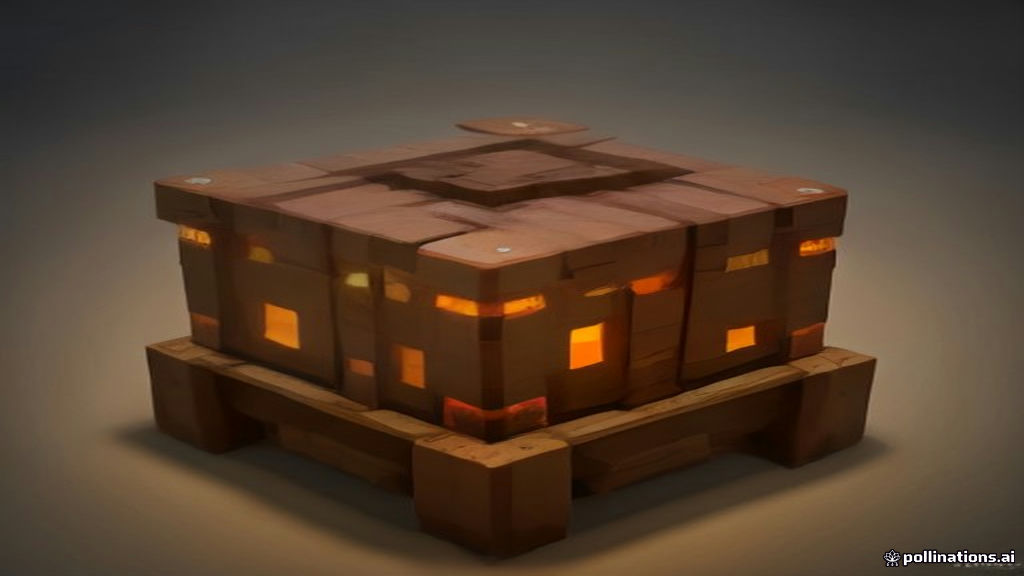
Unlocking Automation: Integrating Minecraft 1.21's Crafter into Your Server
Minecraft 1.21, the "Tricky Trials" update, brought a wealth of new content, including challenging Trial Chambers, new formidable mobs like the Breeze and Bogged, and the versatile Mace weapon. However, for many server owners, the most impactful addition isn't a new threat or weapon, but a humble utility block: the Crafter. This innovative block fundamentally changes the landscape of automation in vanilla Minecraft, offering unprecedented opportunities for players to streamline their resource processing. For server administrators, understanding and strategically integrating the Crafter is crucial for maintaining server health, balancing economies, and fostering engaging gameplay.
Understanding the Crafter
At its core, the Crafter is an automated crafting table. It possesses a 3x3 crafting grid, identical to a standard crafting table, but with a key difference: it can be activated by a redstone pulse. When powered, the Crafter attempts to craft the item represented by the items currently in its grid, pushing the result into an adjacent inventory (like a chest or hopper).
Key features and mechanics:
- Configurable Slots: Each slot in the Crafter's grid can be toggled to "disabled" mode. This is vital for crafting recipes that do not use all nine slots or to prevent unintended crafting. For example, crafting sticks only requires two wooden planks, leaving seven slots empty. Disabling these seven ensures the Crafter doesn't attempt to craft other items if different materials accidentally enter those slots.
- Redstone Activation: A single redstone pulse triggers one crafting attempt. This allows for precise control over crafting operations, from simple lever-activated systems to complex, high-throughput factories.
- Item Input/Output: Items can be inserted into the Crafter via hoppers, droppers, or item pipes from various mods, and crafted items are ejected similarly. This seamless integration with existing item transport systems makes it a powerful component in larger automation builds.
- Crafting Precedence: If multiple recipes can be formed, the Crafter follows specific internal logic. Careful slot configuration is essential to prevent unintended crafts.
Impact on Server Gameplay and Economy
The Crafter's introduction carries significant implications for any Minecraft server, whether vanilla, plugin-based, or heavily modded.
Positive impacts:
- Reduced Grind: Players can automate repetitive crafting tasks, freeing up time for exploration, building, or other engaging activities. This improves overall player experience and retention.
- New Design Challenges: For technical players, the Crafter presents a fresh canvas for complex automation designs, pushing the boundaries of what's possible with redstone and item transport.
- Resource Sinks: Automated crafting can create new demands for raw materials, potentially stimulating server economies and encouraging resource gathering.
- Accessibility: Even less experienced players can grasp basic Crafter setups, making automation more accessible than ever.
Potential challenges:
- Economic Imbalance: If not managed, widespread, high-efficiency crafter farms could flood markets with easily crafted items, devaluing them and disrupting player-driven economies. Server owners running economy plugins should monitor prices of staple crafted goods closely.
- Server Performance: While individual Crafters are not inherently laggy, large-scale, poorly designed automation arrays involving many Crafters, hoppers, and complex redstone can contribute to chunk tick lag. This is particularly true if players build massive, always-on systems in loaded chunks.
- Griefing/Exploits: Although less common, inventive players might find ways to abuse Crafters for unintended item generation or to create lag traps if server protections are not robust.
Integration Strategies for Server Owners
Successfully integrating the Crafter involves proactive planning and, in some cases, careful configuration.
Vanilla Servers:
On pure vanilla servers, your primary role will be observation and community guidance.
- Educate Players: Provide tutorials or examples of efficient Crafter use. Encourage compact and redstone-optimised designs.
- Monitor Performance: Keep an eye on your server's tick rate (TPS) and identify any chunks with unusually high entity or block entity activity. Tools like Spark Profiler (if you're on Paper/Purpur) are invaluable here.
- Establish Guidelines: If lag becomes an issue, consider creating community rules regarding the scale or complexity of automated farms in frequently loaded areas.
Plugin-based Servers (Paper/Purpur/Spigot):
These server types offer more control and opportunities for creative integration.
- Permission Management: Use your permissions plugin (e.g., LuckPerms) to restrict Crafter placement or usage to specific ranks if you wish to gate automation features. This is usually not recommended unless there's a strong economic reason.
- Economy Integration: Consider plugins that can hook into crafting events. You might introduce custom recipes that require Crafters, or even tax automated crafting outputs to maintain economic balance.
- Custom Recipes: Plugins like CustomCrafting or similar can extend the Crafter's utility by allowing you to define your own automated recipes, perhaps for unique server items or progression.
- Performance Optimisation: Paper and Purpur include numerous optimisations for redstone, hoppers, and chunk loading. Review your server.properties and paper-world-settings.yml (or purpur.yml) files.
- hopper.disable-move-event: Setting this to true can reduce event calls for hoppers, improving performance.
- redstone-logic-updates: Purpur, in particular, often offers more aggressive redstone optimisations.
- max-tick-time: Adjusting this can prevent excessively long ticks due to complex redstone.
Modded Servers (Fabric/Forge/NeoForge):
The Crafter's impact on modded servers can be complex, as it interacts with existing automation solutions.
- Synergy with Mods: The Crafter can complement existing tech mods. For instance, it can serve as a vanilla-friendly crafting point in a larger modded automation pipeline, accepting items from modded conduits and outputting to modded storage.
- Mod Conflicts: While rare for a vanilla block, ensure your installed mods are compatible with 1.21. Test the Crafter's behaviour thoroughly in a staging environment, especially its interaction with item transport and recipe-altering mods.
- Balance Existing Automation: If your modpack already features powerful automated crafting solutions, the Crafter might feel redundant or, conversely, offer a simpler, early-game alternative. Consider how it fits into your modpack's progression.
Performance Considerations and Mitigation
Preventing the Crafter from becoming a performance bottleneck is paramount.
- Efficient Redstone Design: Encourage players to use compact, pulsed redstone clocks instead of continuous power where possible. Avoid overly complex, redundant redstone lines.
- Chunk Loading Management: Crafters, like all block entities, consume resources when loaded. Limit the number of constantly loaded chunks containing large automation arrays. Use tools like Chunky to identify areas with high block entity counts.
- Server Software Tweaks:
- Paper/Purpur: Leverage their highly configurable settings for redstone and hopper optimisation. Regularly check the documentation for new performance options related to block entities.
- Monitor using Spark: Run a Spark profiler report (/spark profiler --timeout 60s) during peak times to pinpoint exact sources of lag, often revealing specific block entities or redstone activity.
- Educate Players: Create a simple guide on "lag-friendly automation" for your community.
Community Management and Rules
Clear communication and fair rules are essential.
- Automated Farm Policy: Decide on a policy for large-scale automated farms. Will you allow them in spawn chunks? Are there size limits? Clearly communicate these on your server rules page.
- Moderation Tools: Utilise plugins that can inspect player builds, identify lag sources, or even temporarily disable problematic redstone contraptions. CoreProtect or similar logging plugins can help identify who built what.
- Player Feedback: Engage your community. Ask how the Crafter is impacting their gameplay and whether they're encountering issues. Their insights can be invaluable.
Practical Examples
- Automated Potion Brewing: A Crafter can automatically combine bottles, water, nether wart, and other ingredients to produce potions, which can then be fed into brewing stands.
- Automated Food Preparation: Combine wheat, eggs, milk, and sugar to craft cakes, or automatically craft bread from wheat, delivering finished food to a storage system.
- Block Conversion: Use Crafters to turn raw materials into blocks (e.g., cobblestone into stone, then into stone bricks) or smelted ingots into blocks for compact storage.
- Custom Shop Systems: For plugin-based servers, Crafters could be integrated with shop plugins. Players sell raw materials to a Crafter-powered shop, which then automatically crafts and stocks finished goods for other players to buy.
- Quest Rewards: A quest plugin could require players to submit items crafted by a Crafter, encouraging engagement with the new mechanic.
Checklist for Server Owners
- Backup your server comprehensively before updating to 1.21.
- Update your server software (Paper, Purpur, Fabric, Forge) to a 1.21-compatible version.
- Review and adjust your server's redstone and hopper optimisation settings in your core software configuration.
- Monitor server performance closely after players start using Crafters.
- Communicate clearly with your community about the Crafter and any server-specific guidelines.
- Consider how the Crafter impacts your server's economy and adjust plugins or policies as needed.
- Test plugin and mod compatibility with the Crafter in a staging environment.
The Crafter is a powerful addition to Minecraft's automation toolkit, offering exciting possibilities for enhanced gameplay and player creativity. By understanding its mechanics, anticipating its impact, and implementing thoughtful integration strategies, server owners can ensure it enriches their community without compromising server performance or economic balance. For those seeking reliable infrastructure to support these advanced automation builds, PixelRaid Hosting offers robust, managed hosting solutions tailored for optimal Minecraft server performance.
Sources and further reading
Minecraft's Tricky Trials Update Arrives Next Month - IGN: https://vertexaisearch.cloud.google.com/grounding-api-redirect/AUZIYQF8_abJ3cmTEescRPy2W1IbRWWV1lSBRbDn0LAb3cv6ZOcmUidsTZVH-_hsk-JwrDdufmxCaadQe1EIxTVWJZi__HMtoL28n7ILCvk43BOFT-88cyBxCWcrBQz-dAtTpd9iZ741u38sjXJXxlAByiEmJHGR2bIAEc4w==
The long awaited Minecraft 1.21 Tricky Trials update finally gets a release date - Neowin: https://vertexaisearch.cloud.google.com/grounding-api-redirect/AUZIYQHQzXBxhYQLbk8dyc5nBhYSrCcKTI40KHGJNcASfiXb3NykU85F0px_DqnnwA4LCxqCb-hPYXnYncUkcBBFcWZASrwXcCheNDAnNC4FciGMTIf-XBpvvYVrXEYLVQs5QXPc8gu1YbPz_6rwvDOG0y3uFJXLjb7VcZmuPlOGcx11nAA6pQon_uCciMsQAXv-fViPt57e-ZsuIPnF3Ci2hPMqSNGUJRJ2
Minecraft 1.21 Tricky Trials update: Release date, new mobs & blocks - Dexerto: https://vertexaisearch.cloud.google.com/grounding-api-redirect/AUZIYQEWGccj02Zp2OD0mMWrNCf2as9zAW729hnNtRV8zJll6pfC_VOjP34FSedk8VwW18lSBGUGGgLvsTfJpCPzG_fnzGpQFz3-JsLeiW5